The Instagram Panorama Carousel (also known as a “continuous” or “stitched” carousel) is a multi-slide post where a single image flows uninterrupted as you swipe. This format is the “meta” for high-growth accounts because it maximizes Dwell Time, a primary metric the Instagram algorithm uses to decide which posts to go viral.
The problem? Manual cropping in Photoshop is slow and prone to “seam gaps.” The solution is PicShift AI’s Instagram Panorama tool, a free, browser-based utility that does the math for you.
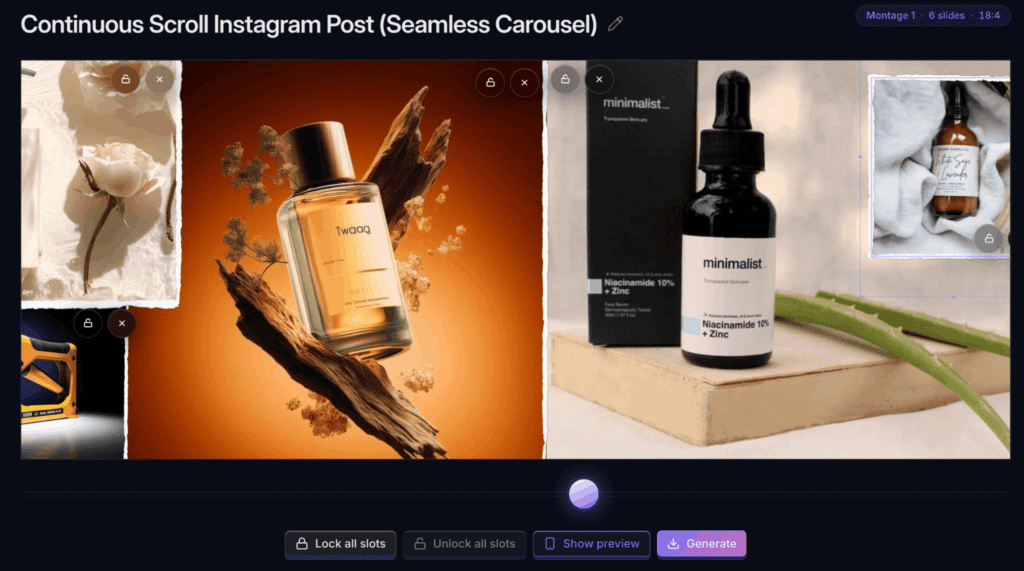
Why PicShift’s Instagram Panorama Carousel?
- Zero Server Uploads: 100% private. Processing happens locally in your browser.
- The “Infinite” Effect: Perfectly aligned slides with no 1-pixel “glitches.”
- No Paywalls: No watermarks, no subscriptions, and no account required.
- 20-Slide Support: Fully updated for Instagram’s 20-slide limit.
The Algorithm Advantage: Why Seamless Posts Win
In the current Instagram landscape, Saves and Shares outweigh Likes. A seamless carousel stops the “scroll-past” behavior by:
- Increasing Dwell Time: Users spend 3x more time on a carousel than a static image.
- The “Re-Serving” Mechanic: If a follower doesn’t swipe the first time they see your post, Instagram will re-serve it to their feed later, starting with the second slide. A seamless panorama makes that second look feel like an entirely new, high-quality experience.
Comparison: PicShift AI vs. Manual Design
| Feature | Manual (Photoshop/Lightroom) | PicShift AI |
| Time to Create | 15–20 Minutes | Under 60 Seconds |
| Technical Difficulty | High (Requires Precise Math) | Zero (Automated) |
| Privacy | Local | Local (No Server Uploads) |
| Cost | $20+/mo Subscription | Free |
| Preview | Static | Live Interactive Preview |
Step-by-Step: Creating Your Carousel
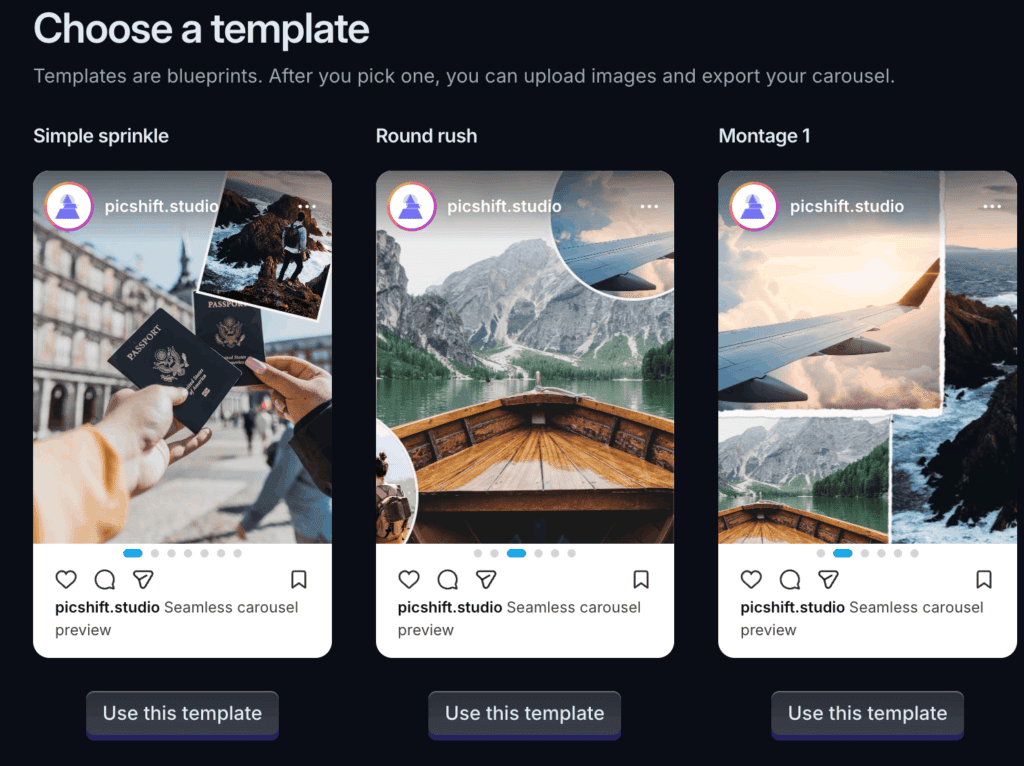
1. Select Your Template
Head to PicShift AI’s Panorama Tool. Choose a layout that fits your story, options range from minimal landscape splits to editorial-style frames with text overlays.
2. Upload & Local Processing
PicShift uses client-side processing. This means your high-resolution images never leave your computer or phone, making it the most secure choice for creators and brands.
3. Review the “Live Flow”
Use the Live Preview toggle to swipe through the slides exactly as they will appear on a mobile screen.
Pro Tip: Ensure that faces or text aren’t split directly down the middle of a “seam” to keep the visual flow natural.
4. Generate & Download
The tool will slice your image into perfectly sized 1080px or 1350px slides. Download the numbered files.
5. The “Golden Order” Post
When uploading to Instagram, select the images in the exact numerical order provided by the tool.
- Aspect Ratio Tip: Always choose 4:5 (Portrait) in the Instagram uploader to take up the maximum screen real estate on your followers’ feeds.
Technical Specs for Creators
To get the crispest results, aim for these specifications before uploading to PicShift:
- Recommended Resolution: 1080px (width) x 1350px (height) per slide.
- File Format: High-quality JPEG or PNG.
- Max Slides: Up to 20 (Instagram’s current limit).
- Color Profile: sRGB (for consistent mobile viewing).
Frequently Asked Questions (FAQ)
Q: Is my data safe?
Yes. PicShift AI does not store, see, or transmit your images. Everything happens within your browser’s temporary memory.
Q: Why is my carousel blurry?
This usually happens if the original image was too small. Always use a landscape photo that is at least 3240px wide for a 3-slide carousel.
Q: Can I request a custom layout?
Yes! The PicShift team actively updates the library based on user requests. You can submit a template idea directly through the “Request Template” button on the site.
If you are serious about Instagram growth, the “Infinite Scroll” is no longer optional, it’s an expectation. PicShift AI removes the technical barrier, allowing you to focus on the story rather than the pixels.
Start creating for free at: Instagram Panorama Carousel